Generate studio-quality voiceovers and clone voices directly inside Premiere Pro & After Effects. 100% offline, zero monthly subscriptions, and unlimited generations on your GPU.
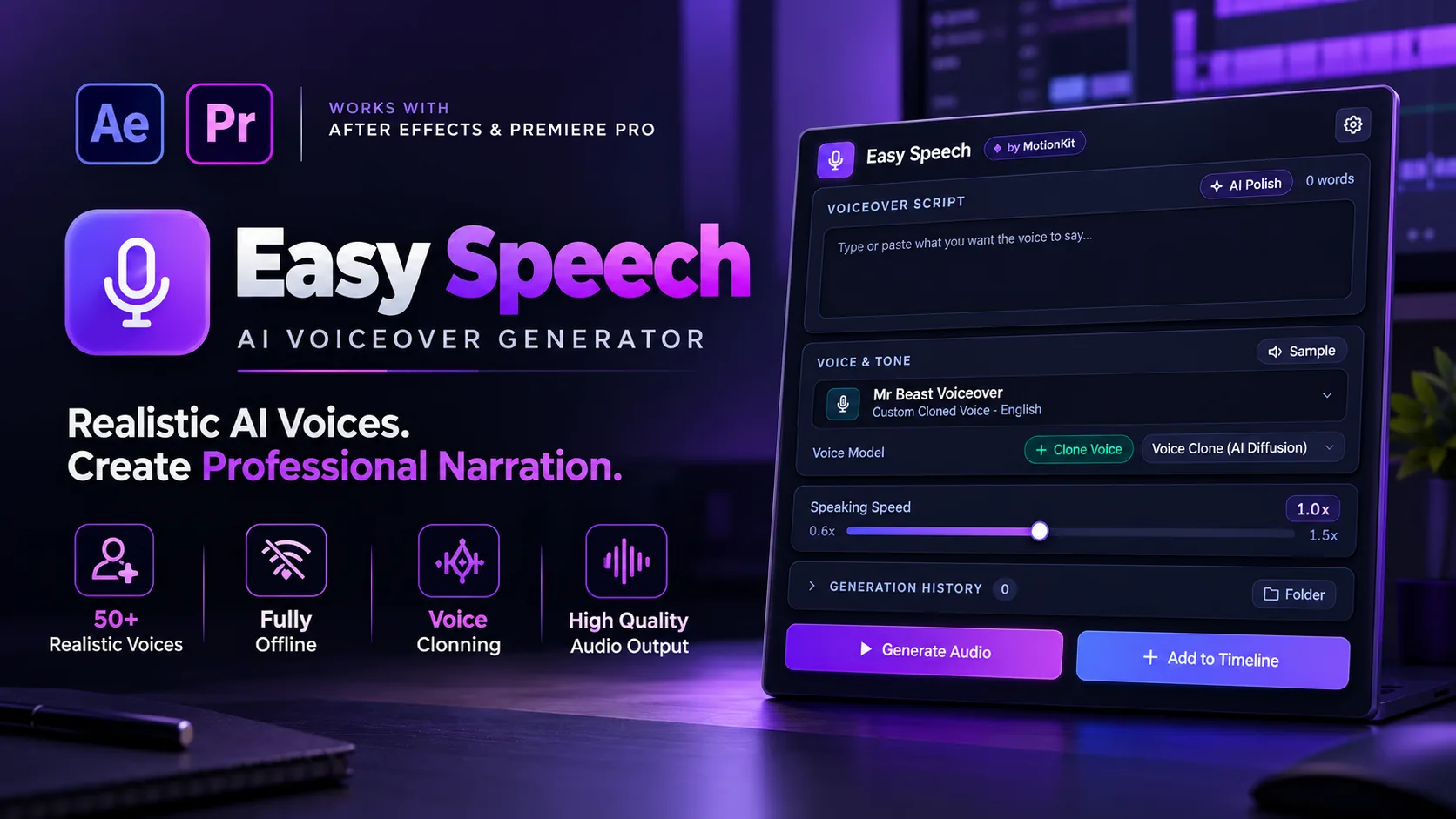
Easy Speech embeds an offline neural speech workstation directly inside Adobe Premiere Pro and After Effects. Test the live simulator right here:
Why traditional web-based voice services break your creative flow, compromise NDA client files, and drain your bank account every month:
Services like ElevenLabs cost $22 to $99 every single month, and you still run out of credits right before a critical deadline.
A client wants one word changed at 1 AM. You have to re-export audio, burn credits again, and wait for cloud rendering instead of making a 2-second edit.
Constantly jumping between Chrome and Premiere, downloading WAV files, renaming them, and dragging them into bins kills your editing flow.
Free and cheap text-to-speech tools sound like GPS robots that make viewers click away in the first 5 seconds of your video.
You cannot safely paste unreleased, NDA-protected client scripts into public web platforms without risking serious data leaks and legal breach.
On a plane, remote shoot location, or working with patchy hotel Wi-Fi? Cloud tools simply stop working, leaving your edit paralyzed.
Easy Speech is a dockable panel for Premiere Pro and After Effects that turns text into human-sounding speech and clones voices right inside your timeline.
No monthly subscriptions. No character limits. 100% offline.
Natural breathing, human pauses, and inflection that sound like a hired voice actor, not a flat computer bot. Select from versatile accents and tone styles for commercial ads, tutorials, and storytelling.
Drop in a quick 5 to 10-second audio clip to clone your own voice or a client's voice for instant pickup lines, missing sentences, and painless revisions.
Generates the audio directly onto your playhead at your cursor. Zero file importing, folder digging, or bin management needed.
Automatically adjusts awkward phrasing and adds natural conversational pauses so your generated audio breathes just like a real narrator.
Runs completely on your own machine. Your client's scripts never touch an external server or the internet. Complete peace of mind for NDA contracts.
Highly optimized for professional NLE workflows. Once the audio file is generated, the AI model immediately unloads from RAM so your timeline playback stays smooth.
See why video editors and motion designers are abandoning expensive cloud voice subscriptions:
Costs $264 to $1,188 every single year, forever, burning your budget month after month.
Strict monthly character and credit limits that run out right in the middle of revisions.
Switch tabs → Download file → Unzip / locate file → Import to bin → Drag to timeline playhead.
Completely useless when working without internet on shoots, in client offices, or on flights.
100% Free Forever, own it with zero monthly charges, credits, or subscriptions.
Generate 10 words or 1,000,000 words across unlimited commercial projects with zero credit throttles.
Type text → Click generate → Audio automatically drops right on your active playhead at your cursor.
Works completely offline anywhere, anytime. Maximum client privacy with zero server uploads.
Easy Speech is engineered for maximum performance across modern Windows and macOS systems:
Easy Speech.zxp plugin installer.Download Easy Speech Pro for unlimited studio-grade voice generation and instant voice cloning — completely free forever for all creators.
Built-in Studio Voices (Kokoro): Yes, 100%. All 50+ built-in studio voices use the Kokoro neural model under the permissive Apache 2.0 open-source license. Audio generated with these studio voices is 100% royalty-free and fully cleared for commercial client deliverables, YouTube video monetization, broadcast television, podcasts, and social media advertising.
Voice Cloning Module (F5-TTS): The voice cloning feature is powered by F5-TTS, which is provided for personal, creative, and non-commercial experimental use. Because voice clone models are not licensed for commercial monetization, cloned voice generations cannot be used for commercial client deliverables or paid ads. You must also hold explicit permission and likeness consent from the speaker.
None. Because Easy Speech runs on your own computer hardware, you can generate 10 words or 1,000,000 words without paying an extra cent. There are no monthly subscriptions, no token meters, and no API credits to burn.
No. Easy Speech is engineered specifically for non-linear editors (NLEs). Once the audio file is generated and placed on your timeline, it immediately unloads the AI model from RAM/VRAM so your playback, timeline scrub, and rendering stay smooth and snappy.
Easy Speech includes a built-in neural voice cloner powered by F5-TTS. Simply provide a 5 to 10-second reference WAV/MP3 recording of any clear speaker. Easy Speech extracts the speaker's vocal timbre, cadence, and pitch characteristics locally, allowing you to synthesize any new script in that voice with zero internet access.
Note: Voice cloning is provided under non-commercial open licensing terms for personal, creative, and experimental use.
On Windows, an NVIDIA RTX GPU (RTX 2060, 3050, 3060, 4060 or higher with 4GB+ VRAM) with CUDA support is recommended for fast generation (2–5 seconds). On macOS, Apple Silicon Macs (M1/M2/M3/M4) run natively using Metal Performance Shaders (MPS) acceleration on Unified Memory (16GB+ recommended). Intel Macs will run via CPU fallback.
Speech generation and voice cloning are 100% offline. Once installed, you can generate voiceovers, clone voices, and place audio onto your timeline completely offline in airplane mode with no internet connectivity.
However, smart assistant features like AI Polish (script enhancement and pacing) and Transcribe require an active internet connection.
Yes! Easy Speech Pro is 100% free forever for all creators. There are no subscriptions, no license keys to buy, and no credit card required. You get unlimited offline speech generation, 50+ studio voices, and instant AI voice cloning completely free.
Yes. All future software updates, performance optimizations, bug fixes, and new voice models will be provided completely free of charge.
